S3 Bucket Tool
Find every S3 bucket a site touches.
A fast, local Chrome extension that scans every page you open for Amazon S3 buckets and AWS endpoints — and shows the count right on your toolbar.
Recon that runs while you browse
No setup, no accounts, no servers. Open a page and the work is already done.
Automatic detection
Every page is scanned as it loads. The number of S3 buckets found lands right on the toolbar badge — zero clicks.
Parsed for you
Bucket name, region and access style pulled from virtual-hosted, path-style, dual-stack and website endpoints.
More than buckets
CloudFront, API Gateway, Elastic Beanstalk, load balancers and Lambda function URLs — grouped in their own tab.
Deep JS scan
Optionally read a page's linked JavaScript bundles, where hardcoded bucket URLs and asset hosts so often hide.
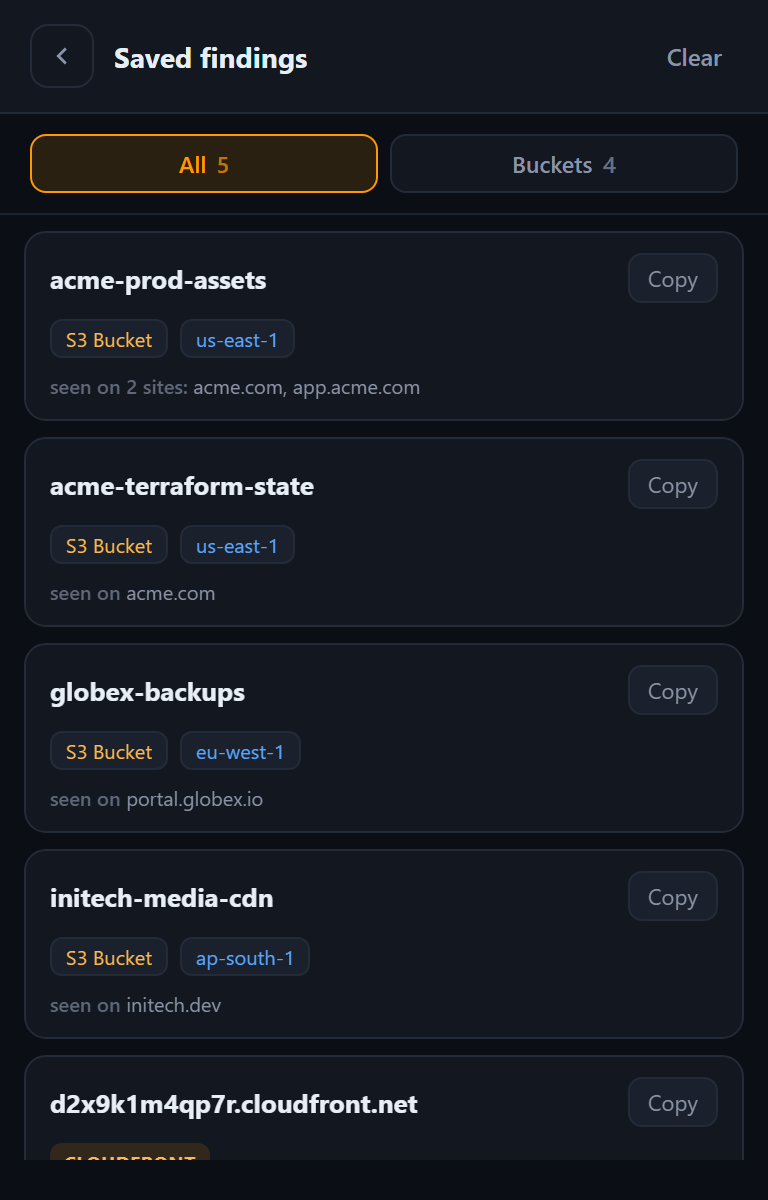
Saved findings
A running library of everything you've found across the sites you visit, with the origins each one appeared on.
Private by design
No host permissions and no network calls of its own. Everything stays on your device, always.
Your map of the attack surface
Whether you're mapping an estate, auditing your own assets or doing bug-bounty recon, the saved library keeps the signal high and the friction low.
- Per-site historySee exactly which origins each bucket appeared on.
- Copy one or copy allGrab a single URL or the whole list in a click.
- Open instantlyJump straight to any endpoint in a new tab.
- Survives sessionsYour history persists across tabs and restarts.